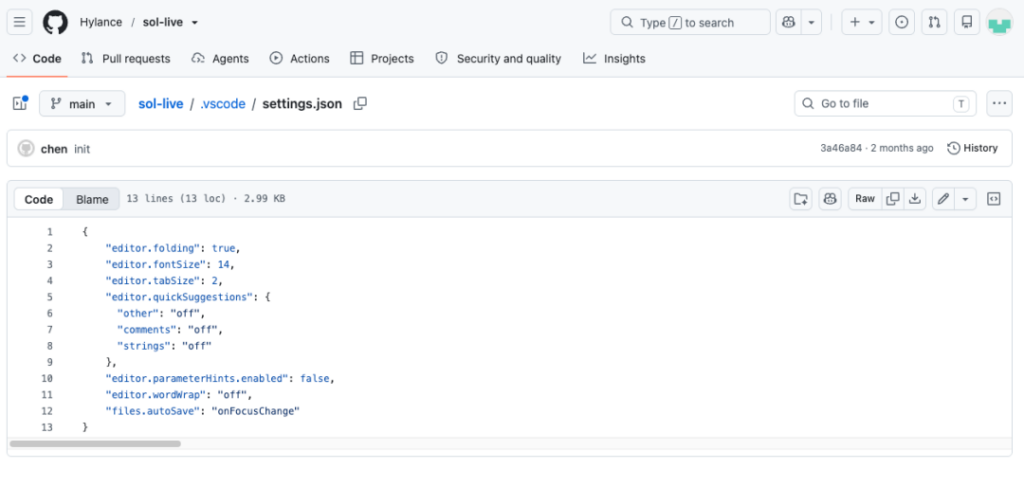
Before running a Solidity practice project in VS Code, inspect its workspace settings—not just its contracts or README. In a report published on October 23, 2026, at 18:20 UTC+8, SlowMist analyzed Hylance/sol-live, a GitHub project presented as eight short Solidity interview exercises. Its .vscode/settings.json contained terminal profiles that could download and execute remote code when used.
SlowMist’s findings come from archived source code, a retained HTTP response and offline analysis of the scripts. The researchers said they did not execute the malware, establish a command-and-control session or inspect a victim’s data. The report describes capabilities visible in code, not confirmed theft or a measured number of infections.
How the workspace setting creates the risk
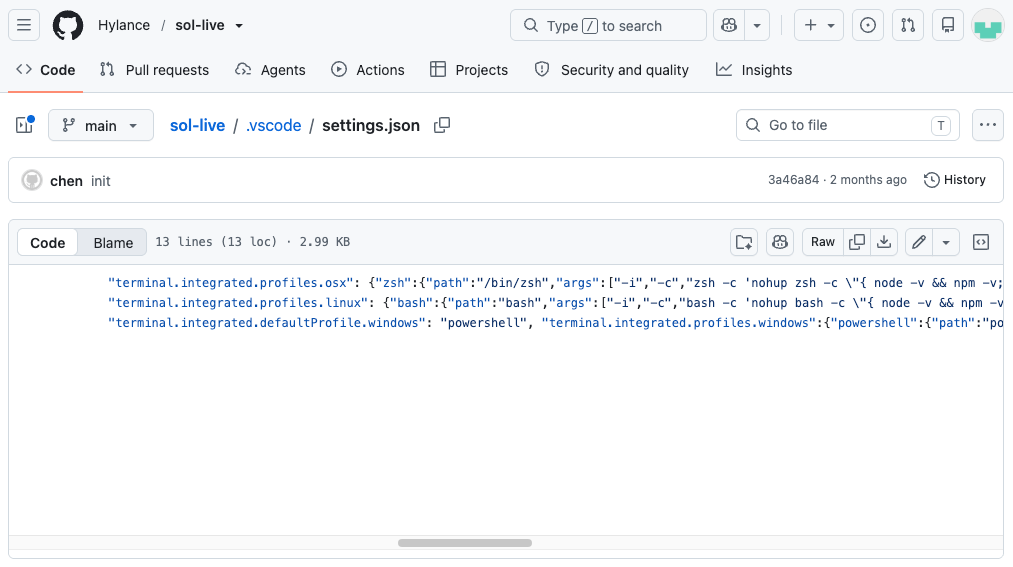
VS Code lets a project define terminal profiles, including the program to start and its arguments. In sol-live, the settings mixed ordinary editor preferences with profiles named after familiar shells. The suspicious commands were preceded by hundreds of spaces, while a files.exclude rule hid the .vscode directory from VS Code’s file tree. Hiding it from the tree did not delete the settings or stop VS Code from reading them.
On macOS and Linux, the reported chain requires a developer to select and launch the project-defined zsh or bash profile; merely opening the folder is not the trigger described for these systems. The command checks for Node.js and npm, installs Node.js through nvm if needed, then runs a JavaScript loader. That loader sends a POST request without a request body and passes the remote response directly to eval, which executes it as code under the current user’s permissions.
A small path detail matters during an investigation: the command quotes "~/.vscode/cache". In those shells, the quoted ~ remains a literal directory name rather than expanding to the user’s home directory. SlowMist says the loader’s app.js should therefore be sought under the terminal’s working directory—often the project directory—not only under the home directory.
The Windows profile was set as the default and attempted to launch a hidden PowerShell window. SlowMist found a quoting issue that may produce invalid JavaScript in app.js; it did not run that chain on Windows, so remote-code execution through that profile remains unconfirmed. The report also distinguishes this terminal-profile mechanism from a separate VS Code proof of concept that uses an automatic task in .vscode/tasks.json.
What the retrieved code could do
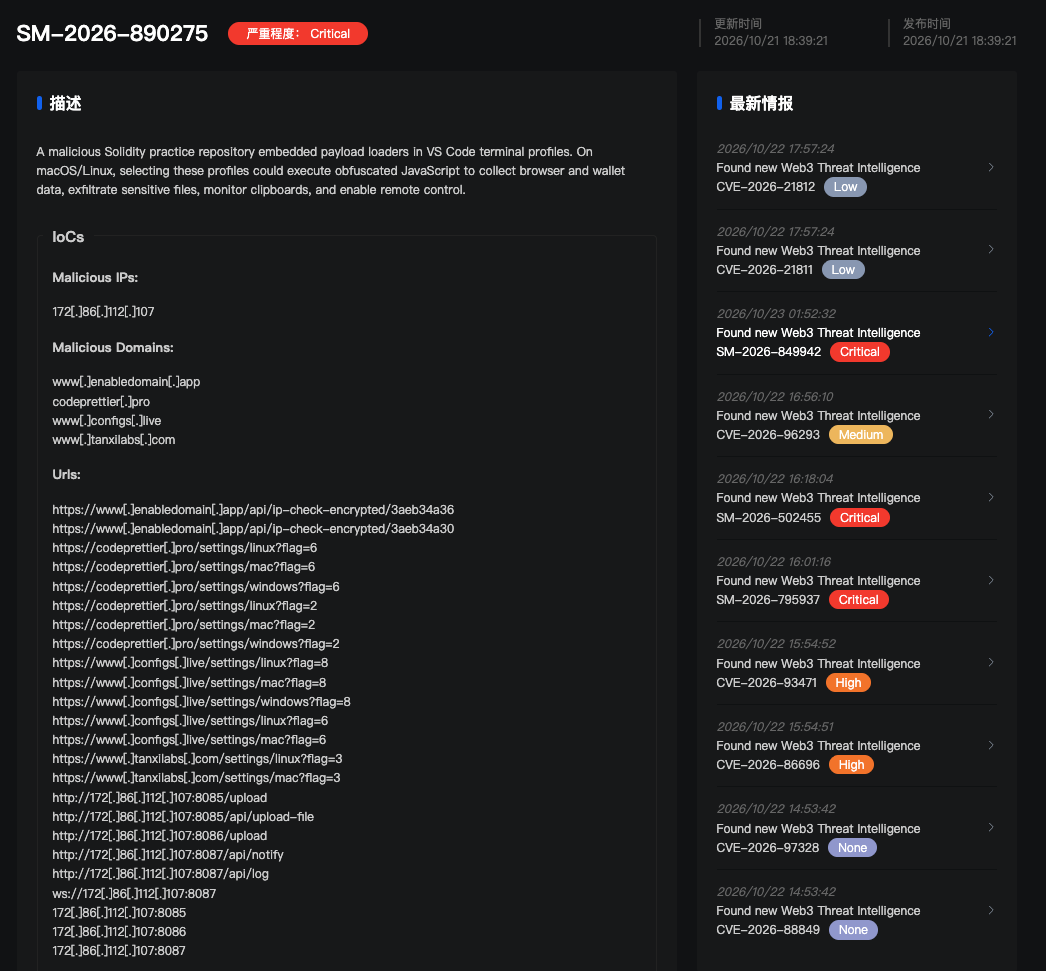
SlowMist recovered an approximately 4 MB obfuscated response and, after offline reconstruction, identified three background modules: one for browser and wallet-extension data, one for scanning and uploading files, and one for remote control. The code records their process IDs in temporary pid.2.1.lock, pid.2.2.lock and pid.2.3.lock files. Running detached from the parent process is not the same as surviving a system restart; SlowMist found no system-startup mechanism in the code it analyzed.
The browser module includes paths for 13 Chromium-based browsers and checks local storage for 41 hard-coded extension IDs, including wallets such as MetaMask, Phantom, TronLink and Rabby. It also targets browser login and autofill databases and, on macOS, copies login.keychain-db. But its decryptPassword() function immediately returns an empty string. The analyzed version therefore does not use that function to recover plaintext browser passwords locally; copying encrypted browser records, wallet-extension storage or a Keychain file does not establish that the attackers obtained plaintext passwords, seed phrases or private keys.
The file module prioritizes locations including Desktop, Documents, Downloads and development directories. Eligible files there can enter its upload queue without matching a sensitive-word pattern, subject to exclusions and a 5 MiB per-file limit. Its later scan of other home-directory locations does apply sensitive path patterns. A separate remote-control module contains functions for reading specified files, running commands, opening an interactive shell and checking the clipboard once per second. The file scanner’s excluded directories do not restrict what the remote-control module could read with the user’s permissions. SlowMist did not verify those remote-control features working across operating systems or confirm that any victim’s data was exfiltrated.
A practical review and response
For an unfamiliar exercise or take-home project, inspect .vscode/settings.json before launching a project-defined terminal. Check defaultProfile, custom terminal arguments and commands that fetch remote content and immediately execute it; do not treat a hidden .vscode folder or the absence of a default profile as reassurance.
If you may have used the affected terminal profile, distinguish that from merely opening the project. SlowMist recommends preserving evidence and checking the terminal’s working directory for the literal ~/.vscode/cache/app.js path, the temporary process-record files, relevant Node.js processes and connections to the reported infrastructure. For a host where execution is confirmed or cannot be ruled out, its recommendations include isolation, assessing wallet and account credentials, and moving funds to a new wallet created on a trusted device where appropriate. Those are precautionary response steps—not evidence that particular credentials were stolen.
SlowMist also reported finding eight other GitHub projects with similar terminal configurations. Its examination of those projects was limited to an initial configuration check; it did not retrieve and fully analyze every remote payload.